Download Cellica Database WiFi MS Access,SQLServer form free on android
APK file Cellica DB WiFi 7.5.7How to install APK / APKS / OBB file on Android
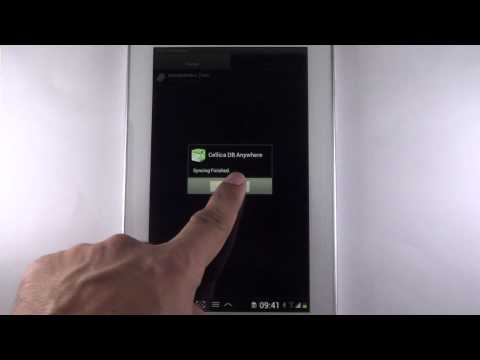

Use MS Access, MS SQL Server, My SQL, Oracle, MS Excel databases on your android.
Carrying the databases from your Server/PC on the SmartPhone is never been so easy.
- With Cellica Database, read & write to any desktop side database Wirelessly with your Android Phone/Tablet(using local WiFi, VPN or USB/WiFi Tethering).
- Synchronize the changes on device and in desktop database, wirelessly and instantly.
- You will always have the most current information at your fingertips.
Download & install desktop software on windows based PC from the following link.
http://www.cellica.com/DownloadforWiFi.html
What our clients says: http://www.cellica.com/Testimonials.html
Features:
• No changes require in existing database design for syncing directly with database, which helps it be the easiest, most user-friendly solution available.
• View and update data on device, which will reflect to Server database immediately while in network.
• Supports offline access to data and Changes will be synchronized later once network is available.
• Synchronize Table/View or Stored Procedure of your database.
• Only the changed data is synchronized in compressed and encrypted format, resulting in reduced wireless data traffic and improves battery life of the devices.
• “Change Detection Logic” searches only updated data in desktop database and device to synchronize it.
• No record or size limit. It depends on space available on device’s internal memory(/SD card).
• Use SQL Select queries, Filters and Sorts to refine specific data set.
• Supported Databases: Microsoft Access(*.mdb,*.accdb)(97 and onwards), Microsoft Excel(*.xls,*.xlsx)(97 & onwards), Oracle, SQLServer, DB2, MySQL, PostgreSQL, FoxPro, dBase, R:BASE,Sybase, FileMaker Pro, Firebird & any ODBC Compliant Relational Database.
• Password protection for Profiles/Forms(SOHO/Enterprise Edition) & Application.
• Make a phone call for the selected field's numeric contents.
• Find and Find again option to search a record.
• Data is secured as 128 bit AES use for Encryption.
• Support Unicode language database such as Japanese/Chinese/German/ Russian etc.
• Transfer data to SD Card or Main memory.
• Supports Multi Record and Single Record View as default views for Database Profile on device.
• Supports Form: Design Custom user interface using simple and easy to use form builder interface.
• Design form on desktop with Label, TextBox, Button, Checkbox, Radio button, Combobox, DateTime, Page, Container, Location and Shape controls.
• Design a master/detail form or a parent/child form using subform control.
• Synchronize Image/Signature/PDF data with desktop database.
• Supports Time/Stamp feature to find when user update particular record.
• Supports Barcode Scan using inbuilt camera/External Barcode Scanner.
• Use Print functionality on forms.
• Create form in Portrait/Landscape mode
Extra Features for SOHO/Enterprise Edition
• Set permissions for each users like Add/Edit/Delete records for each “Database Profile” and Sync Permissions to specify one way sync or both way sync to Control device side records updates capabilities for individual users.
• NFC Scan.
• Macro Programming feature.
• Graphs(Pie, Bar,Cluster,Stack,Area,Line).
User Guide:
http://www.cellica.com/AndroidCellicaDatabaseWiFiUserGuide.pdf
Device side is free to download. User needs to purchase desktop software after 10 days evaluation period. Cost of desktop software is $44.99
Purchase the full version software from the following link.
http://www.cellica.com/WiFi.html
Quick steps for initial synchronization setting between desktop and device.
http://www.cellica.com/CellicaDatabase_Desktop_Android_SyncSettings.pdf
If you have a Firewall on your computer,open a port in Firewall using following steps.
- Open Control Panel-> Windows Firewall-> Exceptions(Tab)-> "Add Port" -> "Add a port" dialog.
- Select the "TCP" option.
- Name this port information in "Name" Textbox and Add "8585" in "Port number" textbox.
- LicenseFree
- File nameCellica DB WiFi
- File Version7.5.7
- Package namecom.DB.android.wifi.CellicaDatabase
- Size6.39 MB
- UploadedJuly 4, 2017
- Android2.3.3 or later
- CategoryBusiness
- DeveloperCellica Corporation
- Developer site
- Developer emailsupport@cellica.com
- md5 hashb2cd102095c53a755a9dd8c0a5b8a555
- Architecture-
- Permissionsshow (17)